QR Guides
Generate a Code 39 Barcode Online
Generate Code 39 barcodes online — classic industrial labels for inventory and asset tags. Free browser generator, download PNG or SVG.
NeedAnyToolPublished Updated 2 min read
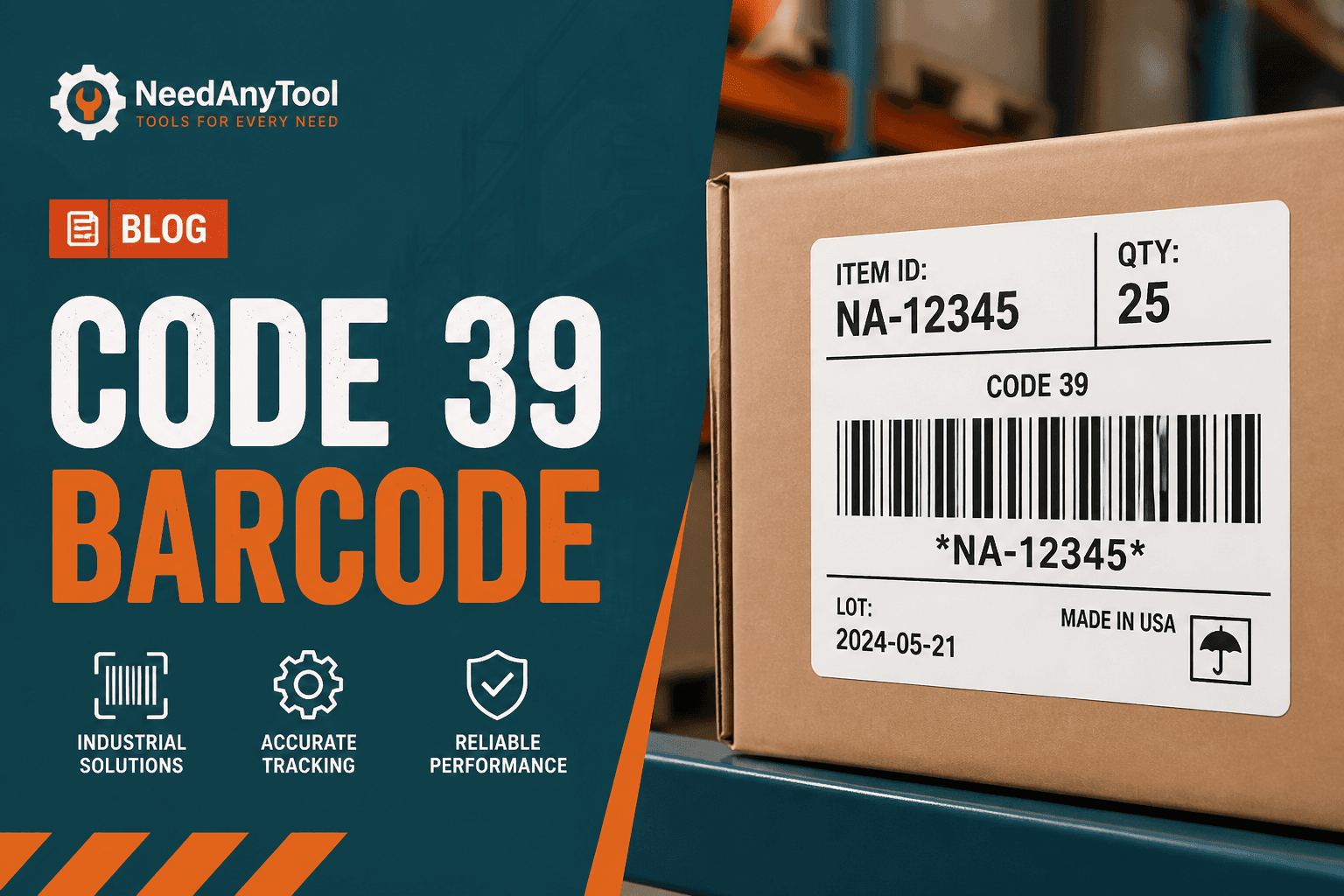
Walk through any warehouse older than twenty years and you'll still find Code 39 on the labels. It's not the newest symbology on the block, but it's alphanumeric, forgiving with cheap scanners, and readable even on rough thermal labels that have been slapped on a pallet twice.
Code 39 turns your text into printable bars right in the browser. If you need something denser with a fuller character set, look at Code 128 instead.
What Code 39 can (and can't) encode
Letters A through Z, digits 0–9, and a handful of symbols — space, hyphen, period, dollar sign, slash, plus, percent. No lowercase natively, so uppercase your payload before generating. The bars are wider than Code 128, which means you need more label real estate and proper quiet zones on both sides.
From text to scannable label
Go to Code 39, type your SKU, bin ID, or asset tag number, and pick a bar height that matches how far away your scanner will be. Export PNG for an office printer or SVG if you're sending artwork to a label vendor.
Before you print a roll, verify with Scan Code or upload a proof to Scan from Image. Catching a bad label now is a lot cheaper than reprinting a thousand.
Code 39 vs Code 128 — quick comparison
Code 39 wins on legacy compatibility — a lot of old WMS systems expect it. Code 128 packs more data into less space and handles a wider character set. If your system doesn't specify, ask whoever manages the scanner config.
For actual retail products on a store shelf, you probably want EAN-13, not Code 39.
Label printing advice
Leave blank margin on both sides of the bars — cutting into the quiet zone kills scans. Matte labels under fluorescent warehouse lights beat glossy every time. And remember: the barcode only encodes what you type. Your inventory system still needs to enforce unique SKUs.
Everything runs locally in the browser, so internal part numbers stay internal.
FAQ
What about the asterisk characters in Code 39?
Those are traditionally start/stop characters. Let the generator handle encoding — don't try to add them manually.
How tall should the bars be?
Taller scans from farther away and at steeper angles. Test with your actual scanner distance and worst-case lighting.
Can I print colored bars?
Dark on light, reliably. Fancy brand colors on barcodes look cool until nothing scans.
What if two products share the same SKU?
The barcode just encodes text. Duplicate prevention is your inventory system's job, not the barcode's.
17 on-device QR & barcode tools — nothing uploaded.
Related guides
QR Guides
How to Scan a QR Code from an Image Online
How to read a QR code or barcode from a photo or screenshot in your browser — decode on-device, not a generic document scanner. Free, private, no upload.
QR Guides
Test a QR Code Before You Print It
Check a QR code before it goes on a poster, menu, or sticker. Test the link, the contrast, and a phone scan so the print actually works.
QR Guides
Create a Contact vCard QR Code Online
Create a contact vCard QR code online free — share name, phone, and email in one scan. Private, on-device, no upload.