Android
QR Toolkit Android App — Scan and Generate
QR Toolkit: Scan & Generate — Android app to scan QR codes and barcodes, create Wi-Fi and website QRs, and keep history on your phone. Private, on-device.
NeedAnyToolPublished 4 min read
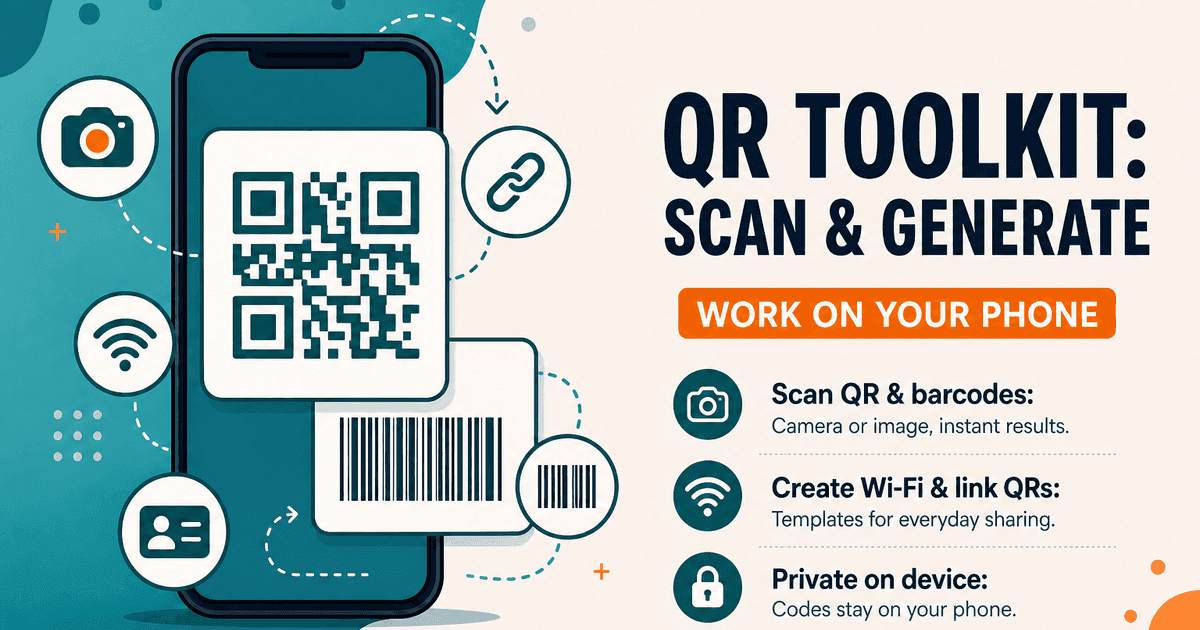
QR Toolkit: Scan & Generate is NeedAnyTool's Android app for everyday QR and barcode work on a phone. Package name: com.needanytool.qrtoolkit. It covers the same class of jobs as our web QR & Barcode tools: live camera scan, decode from a photo, create website and Wi-Fi QRs, generate common retail barcodes, and keep recent items on the device.
It's a focused toolkit — not a social network, not a cloud code vault.
Why we built it
The website is useful when you're already at a laptop. Codes show up on a phone constantly — a Wi-Fi label at a café, a product barcode in a warehouse aisle, a menu link you want to share as a QR.
Installing a bulky suite for those moments is more than most people want. The Android app exists so scan and create can stay on the device you're holding.
What you can do
The current production app is built around on-device utilities, including:
- Scan QR codes and barcodes with the camera
- Decode codes from an image or screenshot
- Open, copy, or share smart scan results (for example a website URL)
- Create QR templates for websites, Wi-Fi, contacts (vCard), text, email, phone, SMS, and WhatsApp
- Generate barcodes such as EAN-13, UPC-A, Code 128, and Code 39
- Keep scanned and generated items in on-device history, with favourites
Tools shown in the app are free to use in this version. No account registration required for that core workflow.
What this version does not do
QR apps often over-claim, so be precise:
- No cloud sync of your scan history to NeedAnyTool servers
- No requirement to create an account to scan or generate
- No claim that every exotic barcode symbology in the world is supported — use the formats listed in the Play Store screens and in-app create menu
- Creating a QR is not the same as hosting a website or short-link service; a website QR points at a URL you already control
Web tools vs the Android app
| Need | Better fit |
|---|---|
| Designing a Wi-Fi QR at a desk | Browser QR tools — start with Wi-Fi QR |
| Scanning a code in front of you | Android app camera |
| Decoding a screenshot already on the phone | Android app, or Scan from image on the web |
| Generating many EAN labels with a mouse | Often easier on desktop web |
| Sharing a restaurant menu QR from a phone | Android app or Website QR on the web |
Both products share the same idea: finish the code task without turning it into a cloud subscription. Feature sets aren't pixel-identical on every release — check the tool list in the app store listing and on the QR hub.
Privacy on the device
Codes and history are processed locally on the device. The app doesn't upload your scans or generated codes to NeedAnyTool servers for this toolkit workflow, doesn't require an account, and doesn't use a custom backend as a code warehouse.
Camera permission is for scanning you start, not for background capture. When you choose Open, Copy, or Share on a result, that is you acting through the system — not a silent upload to us.
The NeedAnyTool website has its own privacy policy. This section describes the Android application.
Who it's for
Shop owners who need a Wi-Fi or menu QR without a designer. Warehouse and retail staff who scan barcodes during a shift. Event hosts sharing a signup link as a QR. Anyone who prefers on-device history over uploading every scan to an account they don't want.
If you're at a desktop and the job is create-and-download, the browser QR tools are the matching web workflow — including Scan, Website QR, and Wi-Fi QR. Use the app when the phone is the device in front of you.
Common phone workflows
- Guest Wi-Fi — Create a Wi-Fi QR in the app → show it at the counter. Or use Wi-Fi QR on the web and open the PNG on your phone.
- Screenshot of a code — Scan from image in the app, or Scan QR from an image on the web.
- Product barcode check — Live camera scan → copy the value into your inventory note.
- Menu link — Create a website QR pointing at your PDF or site — see also Restaurant menu QR.
Get the app
QR Toolkit: Scan & Generate is listed on Google Play:
Developer listing name: Need Any Tool. Provider: iCorp Overseas Consulting Private Limited.
Also see our Android guide for PDF Toolkit: Reader & Tools if your files are PDFs instead of codes.
17 on-device QR & barcode tools — nothing uploaded.
Related guides
Android
Home Workout: No Equipment — Android App
Home Workout: No Equipment is an offline Android app for bodyweight sessions. No account. History, reminders, and an optional weight stay on the phone.
Android
PDF Toolkit: Reader & Tools — Android App
PDF Toolkit: Reader & Tools — Android app to open, merge, split, scan, compress, organize, and sign PDFs on your phone. Everyday PDF toolkit without the desktop clutter.
Android
Offline Mobile Utilities — On-Device Android Apps
Why on-device Android utilities beat cloud-dependent tools for mobile PDF editing, QR scanning, and conversions: instant speed, zero internet required, and complete privacy.