QR Guides
Create an SMS QR Code Online
Create an SMS QR code with phone number and message pre-filled — perfect for feedback, promos, and support. Free browser generator.
NeedAnyToolPublished Updated 2 min read
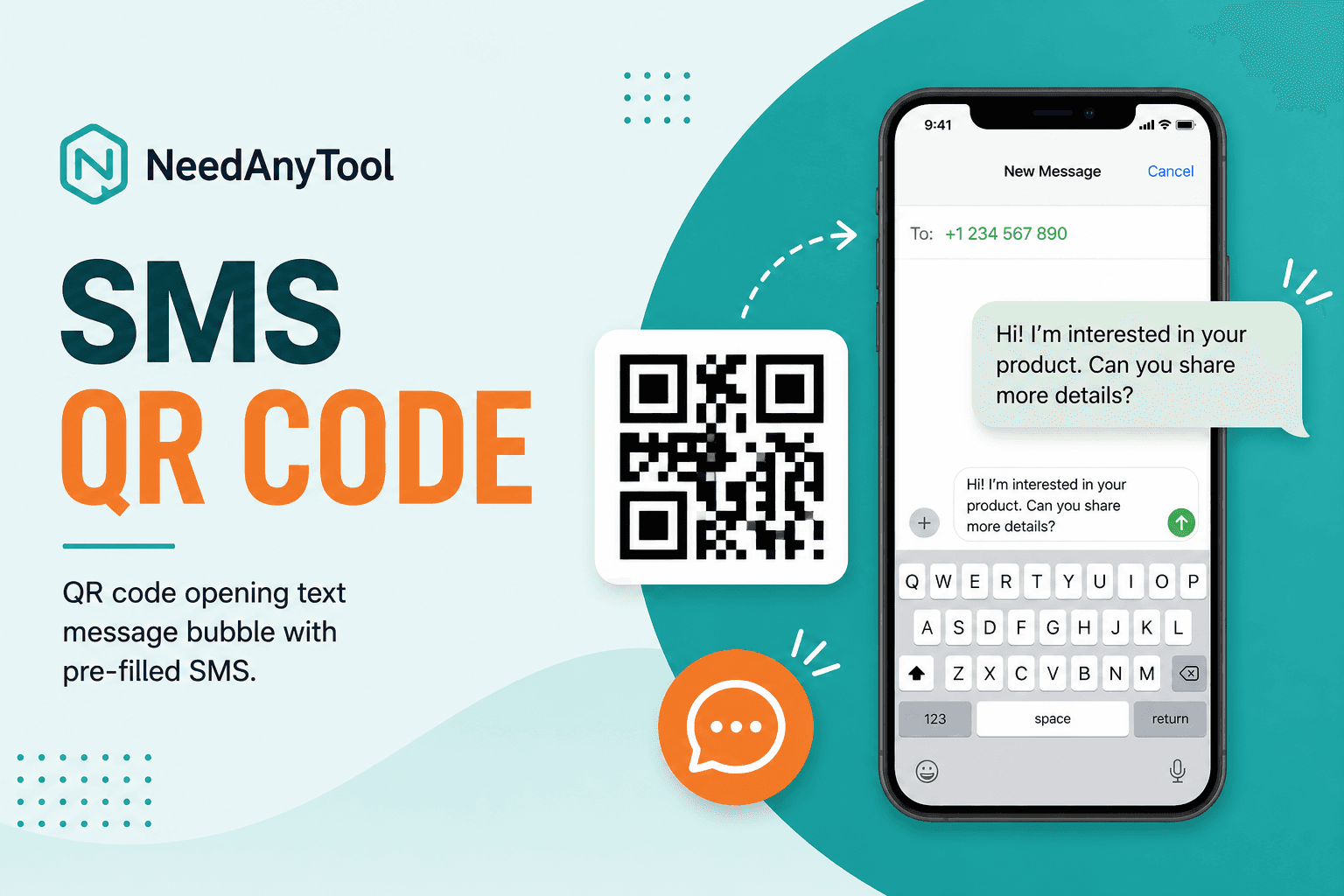
Sometimes you don't want a phone call — you want a text. "Reply YES to reserve your spot." "Text us your table number." "Send FEEDBACK and tell us how we did." An SMS QR code opens the messaging app with the number and message body already filled in. The customer just hits send.
SMS QR encodes an smsto: payload. For voice calls, use Phone QR. For WhatsApp specifically, check out WhatsApp QR.
Good fits for SMS QRs
Restaurant waitlists are a classic — scan, text, you're on the list. Receipts with a one-line feedback prompt work well too. Radio ads that say "text KEYWORD to this number" are easier when there's a QR right next to the number. And at outdoor festivals where mobile data is unreliable, SMS often still goes through when nothing else will.
How to build one
Open SMS QR, enter the destination number with country code, and write your pre-filled message. Keep it short — under 140 characters is a good ceiling for anything printed on a poster. Users can edit the text before sending, so think of the pre-fill as a helpful nudge, not a locked script.
Generate, download, and test on both iPhone and Android. SMS URI handling varies slightly between platforms, and a two-minute test saves you from discovering problems after print.
SMS vs WhatsApp vs email
Native texting goes through SMS QR. WhatsApp chats need WhatsApp QR. And if you'd rather open an email compose window, that's Email QR.
Got a long URL to share? Put it on a Website QR instead of cramming it into an SMS pre-fill.
One thing to remember
Anyone who scans can read whatever's encoded in the QR. Don't put passwords, private codes, or anything you'd regret being public.
FAQ
Does it work the same on iPhone and Android?
Mostly yes — both typically open Messages with the fields filled. But test your exact payload on both before you print a thousand stickers.
Can people change the message before sending?
Absolutely. The pre-fill is a suggestion. They can edit, add to it, or delete it entirely.
Will short codes work?
If the number is a valid SMS destination in your country, it should work. Same rules as typing it manually.
What about MMS or images?
This encodes plain SMS text only — no photos, no attachments.
17 on-device QR & barcode tools — nothing uploaded.
Related guides
QR Guides
How to Scan a QR Code from an Image Online
How to read a QR code or barcode from a photo or screenshot in your browser — decode on-device, not a generic document scanner. Free, private, no upload.
QR Guides
Test a QR Code Before You Print It
Check a QR code before it goes on a poster, menu, or sticker. Test the link, the contrast, and a phone scan so the print actually works.
QR Guides
Create a Contact vCard QR Code Online
Create a contact vCard QR code online free — share name, phone, and email in one scan. Private, on-device, no upload.